Fall 2012 Syllabus /Course Plan
PDF Version of Syllabus
Course Number and Title: ITD 110 - Web Page Design I - Fall 2012
Instructors: Mrs. Carlotta Eaton
Prepared by: Mrs. Carlotta Eaton
Approved by: Dan Lookadoo, Dean (signature on file)
Note: This one-page handout is a subset of the course plan. Please see
the course web site (www.nr.edu/itd110) for the complete course plan.
I. Course Description
Stresses a working knowledge of web site designs, construction, and management using HTML or XHTML. Course content includes headings, lists, links, images, image maps, tables, forms, and frames. Lecture 3 hours per week. Lecture
3 hours per week. Prerequisites: A college level General Education Office course such as BUS 226, CSC 110 or ITE 115.
II. Instructional Materials
- Basics of Web Design HTML5 & CSS3, Copyright 2012 Pearson Education. Addison-Wesley
ISBN 10: 0-13-700338-2 ISBN-13: 978-0-13-700338-9
Also available as eBook ISBN-10 0-13-217661-0 or ISBN-13 978-0-13-217661-3 from CourseSmart at http://www.coursesmart.com/0132176610
- Adobe Dreamweaver CS5 Course Notes, Course Technology Cengage, ISBN 1-111-53006-8
Available as eBook at http://www.cengagebrain.com/shop/ISBN/9781111530068?cid=APL1
- Course Web page: - www.nr.edu/itd110 will be used to post all assignments. Blackboard will only be used to post grades, it will not be used to post assignments.
- Textbook Web site at http://webdevbasics.net/
- Supplies:
- USB Thumb/Flash drive size 2GB or more or a portable USB hard drive 60GB or more.
- Notebook to take notes.
- Folder with pockets to organize handouts and assignments.
- Report cover for final web portfolio project.
- Email account, Internet access and a computer.
- Note: If you do not have a computer, then you will need to plan to spend time on campus to complete your assignments.
- Software:
- Note: If you do not have the required software, then you will need to plan to spend time on campus to complete your assignments.
- Notepad++ (Windows) or TextWrangler (Mac) text editor will be utilized for most assignments this semester.
- Adobe Dreamweaver web editor software will be utilized for assignments starting in the middle of the semester in this class. This software is available in Mall 109 and Rooker 253. The software is also available on 10 computers in the Mall hallway.
- You will also use PowerPoint, Word, an image editor such as Fireworks or Photoshop and a Animation editor such as Flash for a few of the assignments.
- See Software FAQ on the Assignments page and www.nr.edu/it for more information on software.
NRCC assumes no liability for virus, loss of data, or damage to software or computer when a student downloads software for classes.
III. Evaluation
Students will be expected to take all exams at the scheduled date and time on campus. No make-up exams will be given after the scheduled exam date. You must
inform your professor in advance if an emergency prevents you from attending
a scheduled exam to avoid a 0. Grades will be earned according to
the following point schedule.
Grading: Exam 1 = 100, Exam 2 = 100, CIW Final Exam = 100, Web ePortfolio Project=100
points,
Assignments = 200 points (based on average)
| A |
B |
C |
D |
F |
540 - 600
90-100%
|
480 -539
80-89%
|
420 - 479
70-79%
|
360 - 419
60-69% |
0 - 359
<=59%
|
Prequisite Knowledge
Creating web sites using XHTML is considered an intermediate level computer skill.
Prerequisites: A college level Office course such as BUS 226, CSC 110 or ITE 115
OR the following pre-requisite skills before attempting
this course:
- File and folder basics such as creating, copying, deleting and moving folders,
and creating, copying, deleting, moving and finding files in the appropriate
folder.
- Windows operating system basics such as booting up the system, starting
an application, exiting an application and using the Windows help system.
- Windows management basics such as maximizing, minimizing, resizing, tiling
and closing windows on the screen.
- Word processing basics such as opening, editing, saving, changing and printing
existing documents and creating new documents with Word or WordPerfect.
- Presentation basics such as opening, editing, saving, changing and printing existing presentations and creating new presentations with PowerPoint.
- Web browser basics such as using a browser to search and find specific
web sites or topics with Internet Explorer, Netscape, Opera or FireFox.
IV. Instructor Location
| Instructor |
Office and Hours |
Phone |
E-mail |
| Carlotta Eaton |
NRCC Mall Office 110
Office Hours:
See www.nr.edu/eaton
|
Office:
(540) 674-3600
Ext 4250 |
For questions ceaton@nr.edu
DE Students submit assignments to
itd110de@gmail.com
Classroom students submit assignments in class. |
V. Attendance Requirements
No-Show Policy
A student must either attend face-to-face courses or demonstrate participation in distance learning courses by the last date to drop for a refund. A student who does not meet this deadline will be reported to the Admissions and Records Office and will be withdrawn as a no-show student. No refund will be applicable, and the student will not be allowed to attend/participate in the class or submit assignments. Failure to attend or participate in a course will adversely impact a student’s financial aid award.
Classroom section students
Students in the classroom sections are expected to maintain regular, consistent
attendance. Attendance will be taken at the beginning of each class. If you
miss a class, you are responsible for getting the missed material. Let your
instructor know if you miss two or more consecutive classes. Read the text
material, check the course web pages, or contact a team member for notes before
contacting the professor.
All students including Distance Education
Excessive absences before the withdrawal date (twice the number of weekly meetings
or missing 2 weekly assignments) will result in Faculty Initiated
Withdrawal.
Excessive absences or missed assignments after the withdrawal period will result
in an F for this course. No refund will be applicable. See the NRCC catalog for more information.
Inclement Weather Policy
If NRCC cancels classes due to inclement weather, any quizzes or exams scheduled for that day will be taken at the next class meeting. Any assignments are also due at the next class meeting. If NRCC is open, but the roads are bad at your home please stay home. Don't risk your life to come to school. Call or email your instructor. We will view the high school closings to grant leniency for any assignments due.
VI. Course Content - Tentative Schedule
Schedule |
Basics of Web Design HTML5 & CSS3 |
Week 01 |
Chapter 1 Internet and Web Basics |
Week 02 |
Chapter 2 Web Page Structural Basics |
Week 03 |
Chapter 3 Hyperlink Basics; Start Chapter 4 |
Week 04 |
Chapter 4 Web Design Basics |
Week 05 |
Exam 1: Chapters 1-4
Dreamweaver Basics |
Week 06 |
Chapter 5 Cascading Style Sheets Basics |
Week 07 |
Chapter 6 Web Graphics Styling Basics |
Week 08 |
Chapter 7 More CSS Basics |
Week 09 |
Chapter 8 Page Layout Basics |
Week 10 |
Exam 2: Chapters 5-8 |
Week 11 |
Chapter 9 Table Basics; Start Chapter 10 |
Week 12 |
Chapter 10 Form Basics |
Week 13 |
Chapter 11 Media and Interactivity Basics |
Week 14 |
Chapter 12 Web Publishing Basics
Web Site Portfolio project due |
Week 15 |
Final Exam: Chapters 9-12 |
VII. Learning Objectives
Upon the successful completion of this course, the student will be able to:
- Create web pages with HTML5 or XHTML and CSS utilizing a text editor such as Notepad++ (Window) or TextWrangler (Mac).
- Utilize a web editor software package, Dreamweaver, to create a web site to add CSS style rules, add tables, multimedia objects, and create forms.
- Understand and use the principles of good web site design, typography, color, and graphics
- Transfer files to a web server using FTP in Dreamweaver to an Internet Service Provider web server such as EasyCGI
- Debug and maintain web site files.
- Gather data to identify customer requirements and capacity by:
- Identifying critical questions to be asked at customer interview
- Conducting a mock or actual customer interview
- Producing summary report to include mission, target audience, and customer requirements
- Create and refine preliminary design or mockup by:
- Sketching a page layout of a web page incorporating navigation, layout elements, and theme to visualize look and feel of a site
- Review design considerations and constraints by:
- Identifying front-end (interface file formats) and back-end (eg. bandwidth) web page issues
- Developing a strategy for accessible, ADA (American Disabilities Act) compliant, and portable web pages
- Execute a project plan by:
- Meeting project schedules and milestones by producing project deliverables
- Develop site map and user interface specifications by:
- developing a site map and/or storyboard to incorporate project goals and objectives by:
- Create a site plan by:
- Creating a site plan which may include an outline, logical design, GUI mockup, similar site comparison, site mission, and target audience
- Create a well-formed document by:
- Identifying HTML5 or XHTML document structure or content tags
- Creating a well-formed XHTML documents that validates
- Structuring your XHTML document using block element tags
- Using CSS to apply formatting and structuring
- Incorporate graphics, layout elements, and applicable code
- Creating hyperlinks, headings, lists, links, tables, forms, image maps, and frames
- Inserting images and multimedia
- Cropping, resizing, and optimizing images using a graphics editor
- Organizing content and site file structures by:
- Designing and implementing the hierarchical directory and logical structure of a site
- Implementing industry-recommended techniques for navigation (e.g three-click rule)
- Create or adapt content by:
- Content meets customer requirements
- Content is clear, concise, consistent and grammatically correct
- Test and update by:
- Testing site after content is updated to ensure integrity
- Previewing every page, navigating through every link, and validating code
- Correcting site problems and retesting to ensure the updates work as intended
- Publish and present web site by:
- Identifying requirements for publishing a site to a web server
- Testing site after content is published to a web server to ensure integrity
- Previewing every page, navigating through every link, and validating code
- Correcting site problems and retesting to ensure the updates work as intended
- Identify GUI and HTML editors by:
- Identifying industry GUI and HMTL editor software
- Identifying choice of tools to author web pages
- Identifying the different features of the set of web authoring tools
- Identify advanced web technologies by:
- Formatting pages using CSS to apply formatting to web pages
- Comparing the use of service providers for hosting web sites
- Constructing a web form and testing it using a public test engine
- Identifying the three different DOMs in popular use
VIII. Instructional Procedures
The course will consist of lectures, discussions, demonstrations, and hands-on
assignments as well as a web public service project.
Sexually Explicit Materials: Warning! Despite
the wealth of great material on the web, there are also many web pages in
poor taste. Do not download them or view them on any NRCC computer. It goes
without saying to not include any of these images on your web pages. Display
of sexually explicit images may result in suspension or permanent expulsion
from the class at the discretion of the professor. These images are very clearly
marked and cannot be downloaded by "accident." Displaying these
images on any screen in the computer lab, at any time, would cause embarrassment,
would be in extremely poor taste and could be seen as sexual harassment.
IX. Withdrawal Policy
Student Initiated Withdrawal
A student may drop or withdraw from a class without academic penalty during
the first 60% of a session. See the current NRCC Catalog for more
details. For purposes of enrollment reporting, the following procedures apply:
- After the add/drop period, but prior to a completion of 60% of a session,
a student who withdraws from a class will be assigned a grade of "W".
- After that time, if a student withdraws from a class, a grade of "F"
will be assigned.
Instructor Initiated Withdrawal
- Note: A student will be awarded an F for excessive absences within the last
40% of classes. See the current NRCC Catalog for more details.
- A student who adds a class or registers after the first day of class is
counted absent from all class meetings missed. Each instructor is responsible
for keeping a record of student attendance in each class.
- Students who have not attended class by the last day to drop the class and
receive a refund should be deleted by the instructor during the following
week. No refund will be applicable.
- When a students absences equal twice the number of weekly meetings
of a class (within the first 60% of classes), the student may be dropped for
unsatisfactory attendance in the class by the instructor. The student will
be notified of the withdrawal by the Admission and Records Office.
Withdrawal from the College
A student who wishes to withdraw from the college should contact a counselor
to determine the appropriate procedure. Failure to follow established procedure
could place the students college record in doubt and prejudice the students
return to this or another college.
X. Academic Honesty
The NRCC Code of Conduct states:
As a member
of the New River Community College Student Body,
I will act in a responsible manner with the utmost integrity at all
times.
I will obey all college rules and regulations.
I will respect the rights and privileges of others. |
Students will be expected to maintain complete honesty and integrity in their
experiences in the classroom. Any student found guilty of dishonesty in academic
work is subject to disciplinary action. Penalties include but are not limited
to disciplinary probation, withholding of transcript or degree, denial of
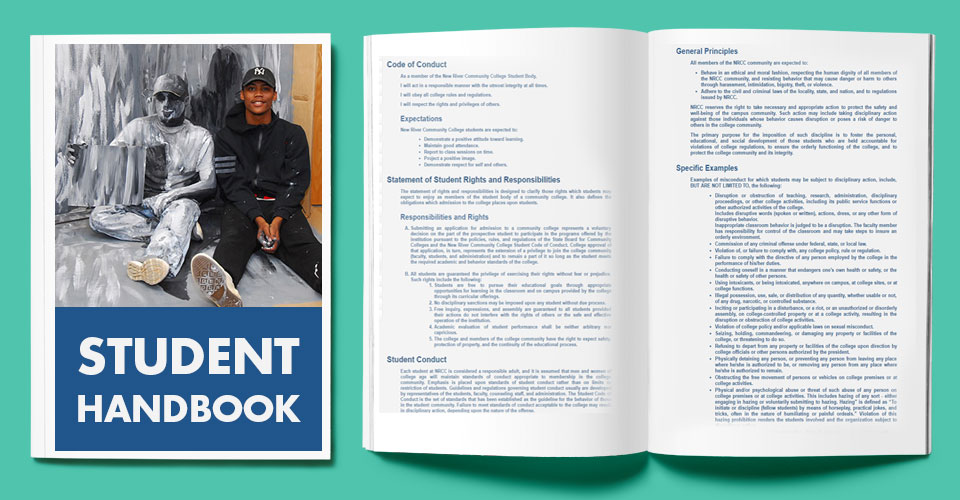
degree, suspension or expulsion. See the current NRCC Student Handbook
for more information and details.
Disability Statement
If you are a student with a documented disability who will require accommodations in this course, please register with the Disability Services Office located in the Counseling Center in Rooker Hall for assistance in developing a plan to address your academic needs.
Diversity Statement
The NRCC community values the pluralistic nature of our society. We recognize diversity including, but not limited to, race, ethnicity, religion, culture, social class, age, gender, sexual orientation and physical or mental capability. We respect the variety of ideas, experiences and practices that such diversity entails. It is our commitment to ensure equal opportunity and to sustain a climate of civility for all who work or study at NRCC or who otherwise participate in the life of the college.
NRCC Learning Links
Additional resource materials for some New River Community College classes can be found on the NRCC Web-based learning site at nr.edu/learninglinks
Last Update:
July 26, 2012 |